Welcome to Awaken Documentation

Welcome to the Awaken theme user documentation. If you have any questions about theme features, configuration or bug fixes, then you should find it here. If you can’t find the answer you need, contact us through our email hello@brainecom.com
How to install Awaken theme
Directly from the website
When you install Awaken theme from our website, follow these steps:
- Download the zip file from the website
- Install the file inside to your website
- Use our app to finish the installation process and manage the updates.
On the Shopify Theme Store
To install Awaken, complete the following steps:
-
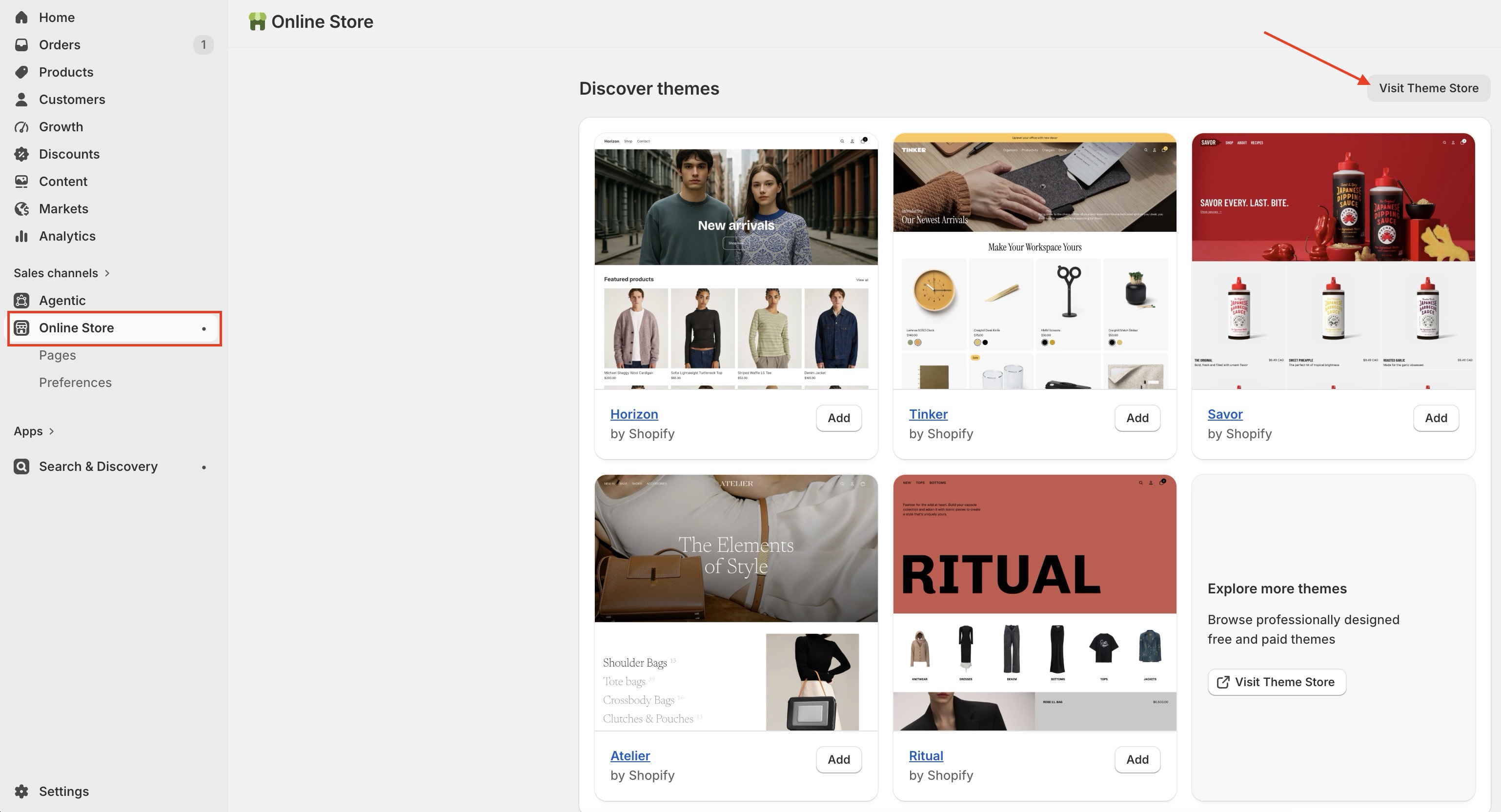
At the store’s admin, go to **Sales channels > Online store **.
-
At Online store, Scroll down to the
Discovery themeand click theVisit Theme Storebutton.
-
Enter Awaken as the search term into the Search bar.
-
Select Awaken, then click on Try theme.
-
Now, confirm if Awaken is listed in your Theme library.
-
You have several actions to take with a theme, including:
- Preview. Apply Awaken to your store temporarily, to see its appearance.
- Buy. Purchase Awaken.
- Customize: Edit Awaken as you want with in-depth settings
- Remove. Delete Awaken from your theme library.
- Publish: Apply Awaken theme to your store
Nice! Now you've installed Awaken theme successfully and can start using for your Shopify store.
Email us at hello@brainecom.com