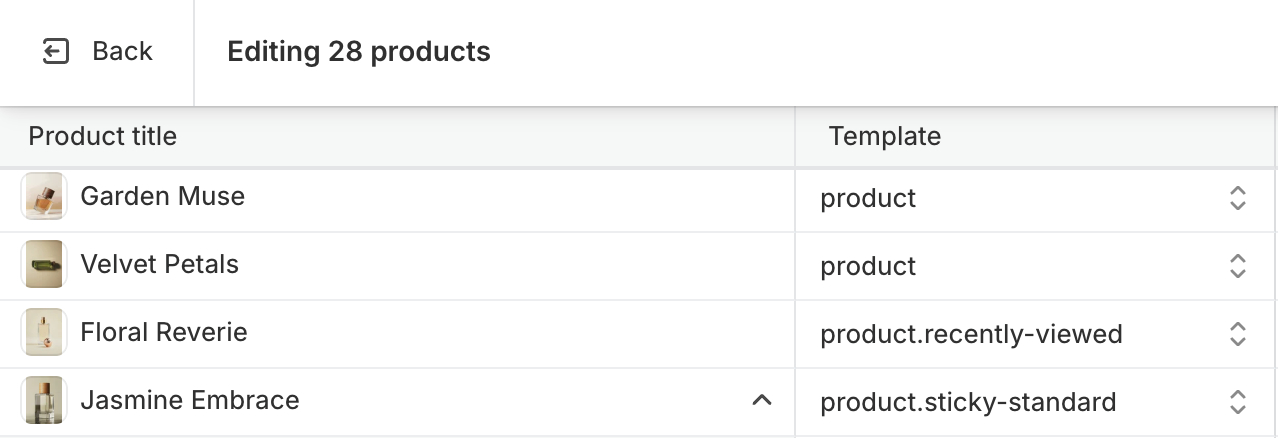
Change other templates preset
This guide describes how to change the other templates preset (collection, product, etc.).
Please read the note below before deciding to change any templates.
note
- The guide for Product, Collection, Blog, and Blog post is the same.
- When a Product, Collection, Blog, or Blog post is created, it will have its corresponding default template: Default product, Default collection, Default blog, and Default blog post.
- You can change the default templates to other preset styles if desired, or you can also assign individual products, collections, blogs, or blog posts to different template styles to increase style diversity for your theme.
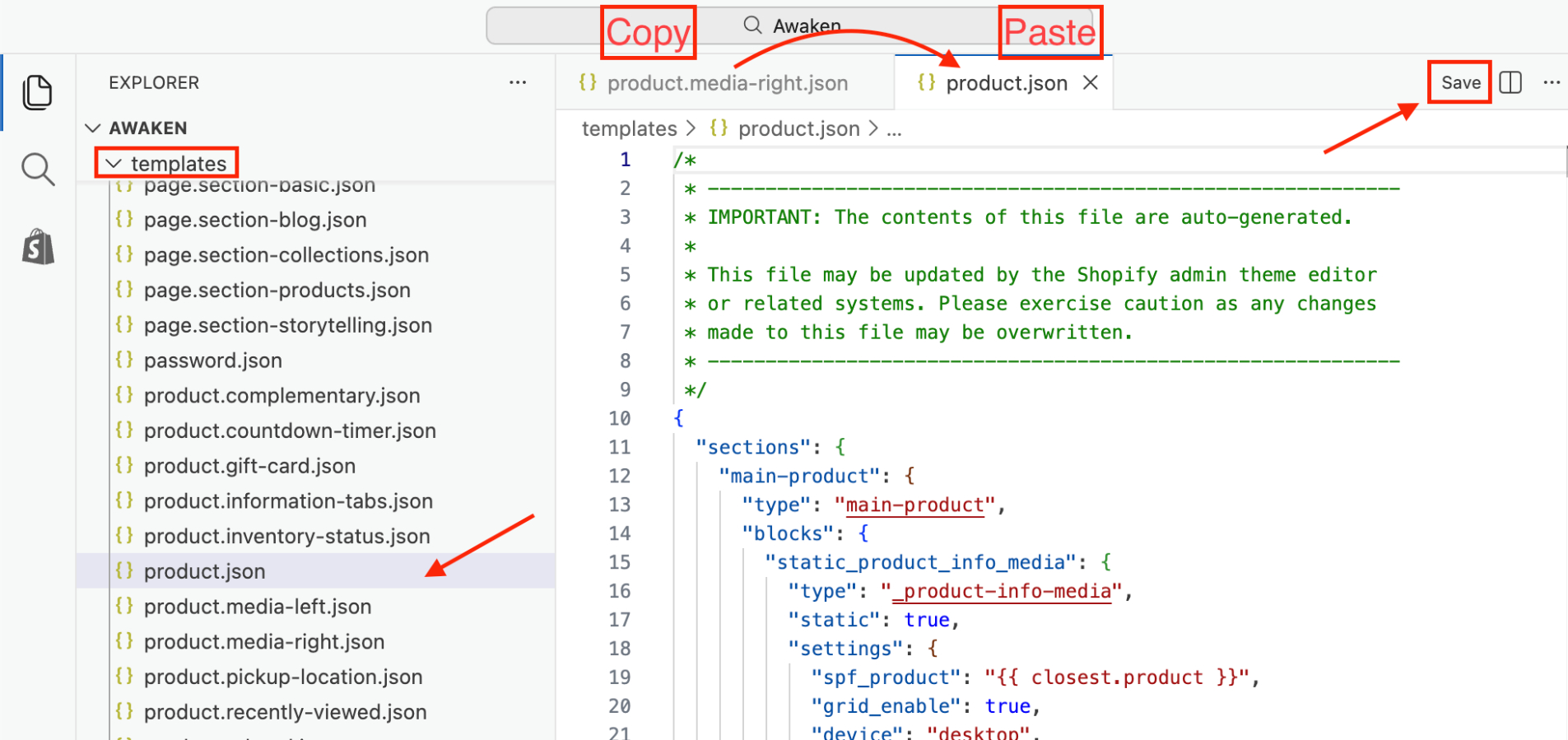
Change Default Template
- The default templates include:
product.json,collection.json,blog.json,article.json - Do the same as with the Homepage.
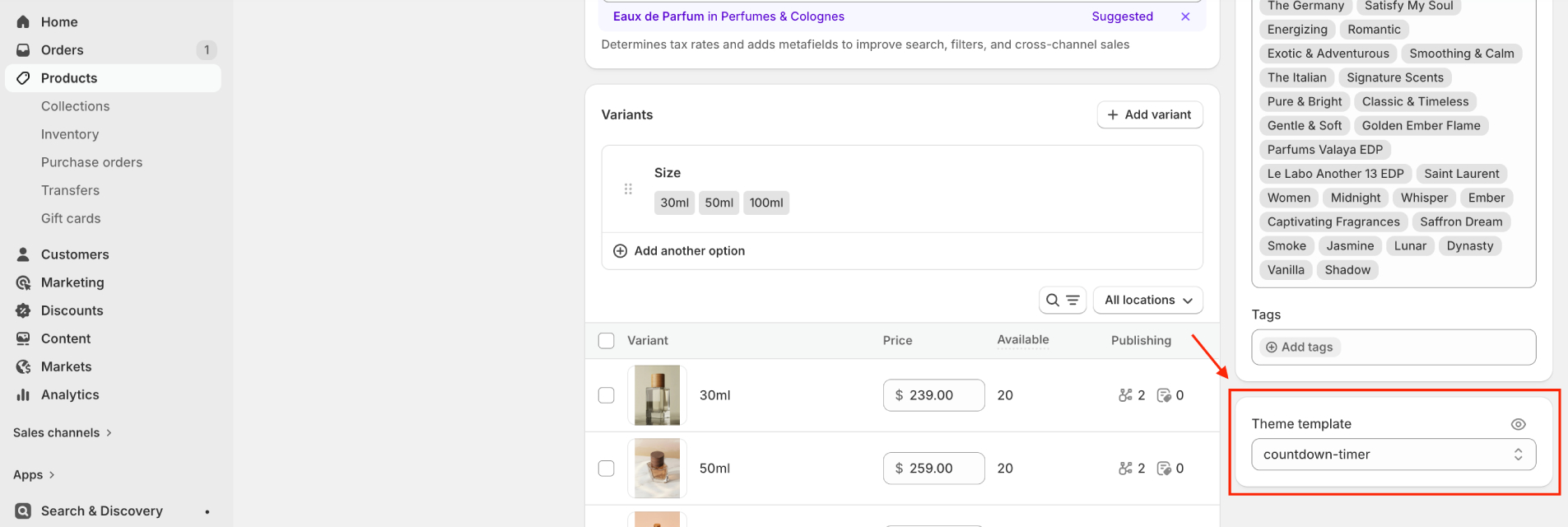
Assign product(collection, blog, blog post) to a template
- You can select a template for each individual product (collection, blog, blog post).
tip
Use bulk edit to assign templates more quickly.