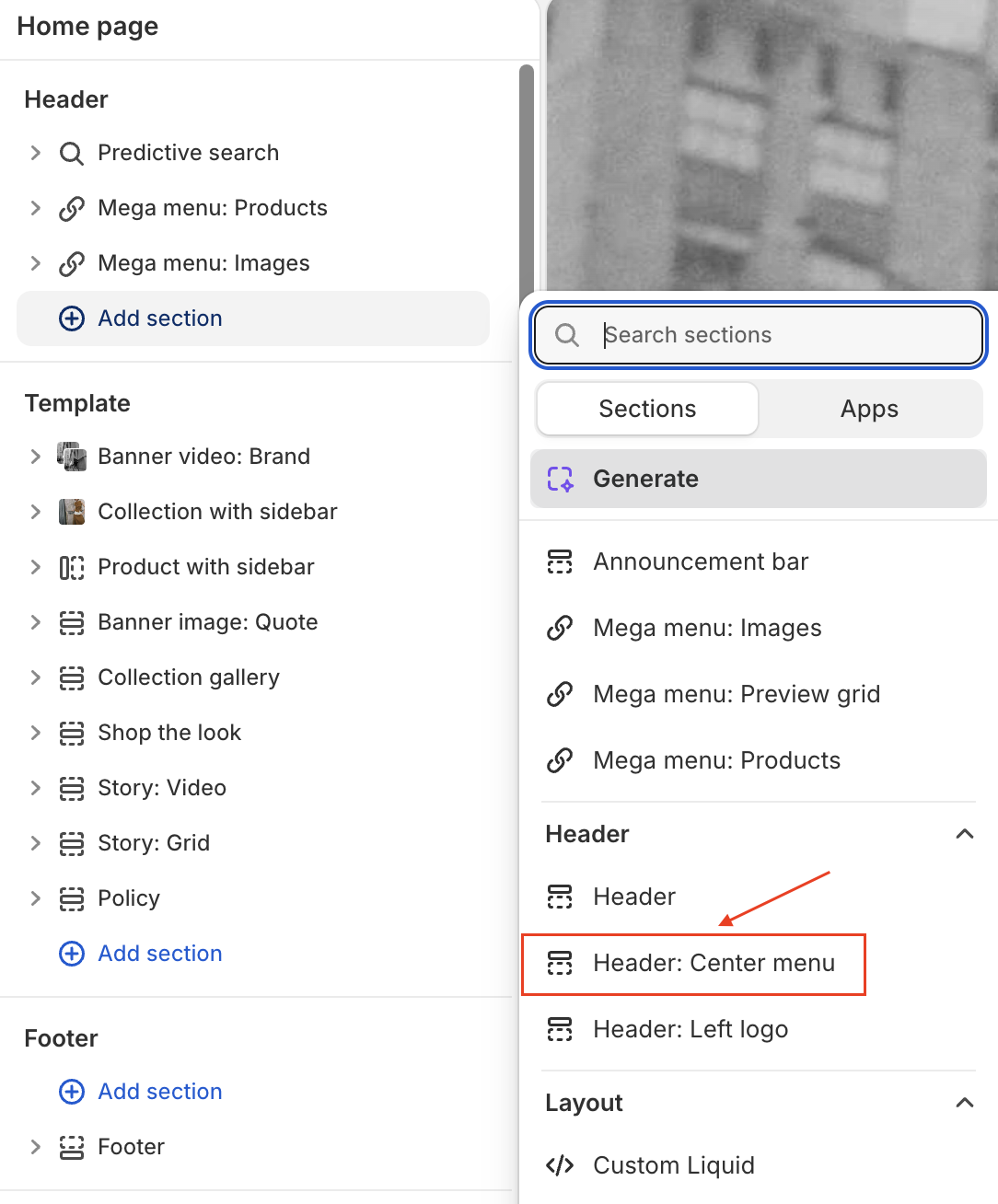
Change header & footer preset
This guide describes how to change the header section preset (footer is the same).
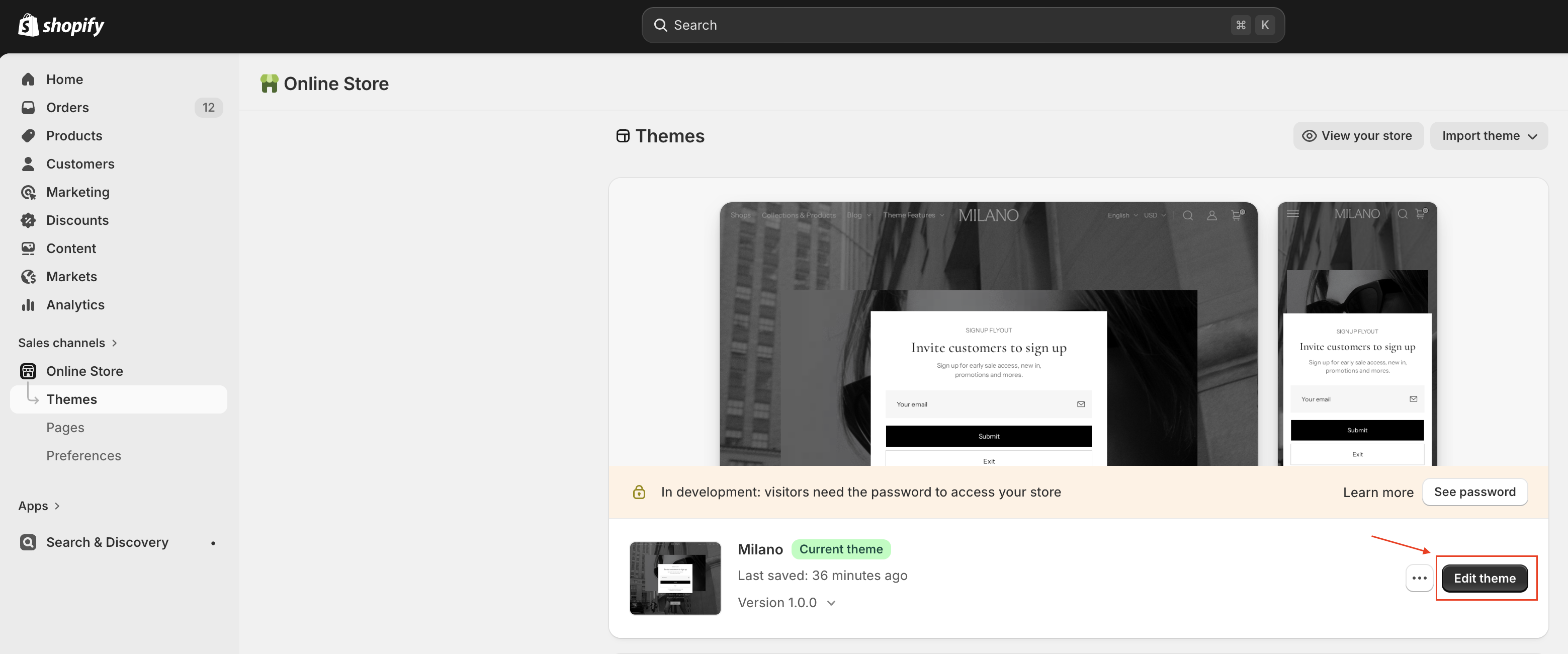
- On your store's Shopify admin page, on the side menu, select Sales channels > Online store > Themes.
- In the Current theme section, select Edit theme to open the Edit theme editor.
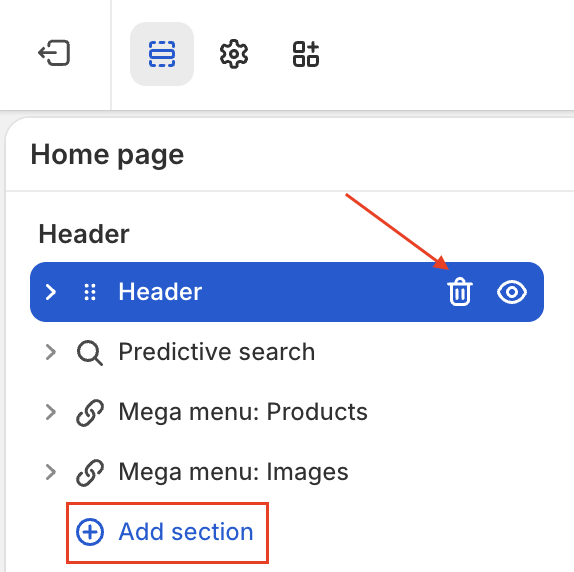
- On the left side of the editor, remove the current header, then add a new header section.
- Select the header section style you want (
Header: Center menu,Header: Left logo) then save the change.