Change homepage preset
This guide describes how to change the homepage preset.
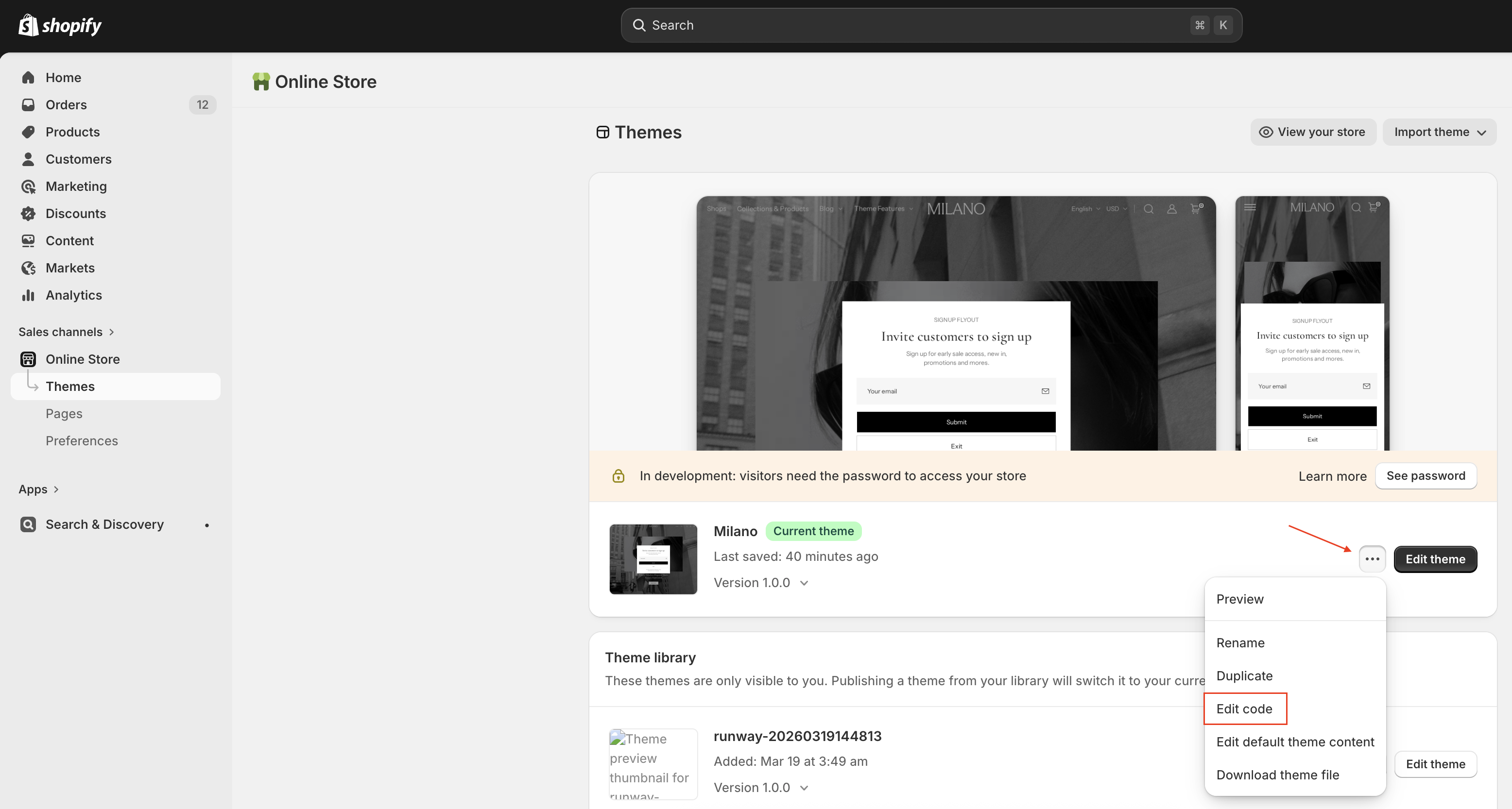
- On your store's Shopify admin page, on the side menu, select Sales channels > Online store > Themes.
- In the Current theme section, select Edit code to open the Code theme editor.
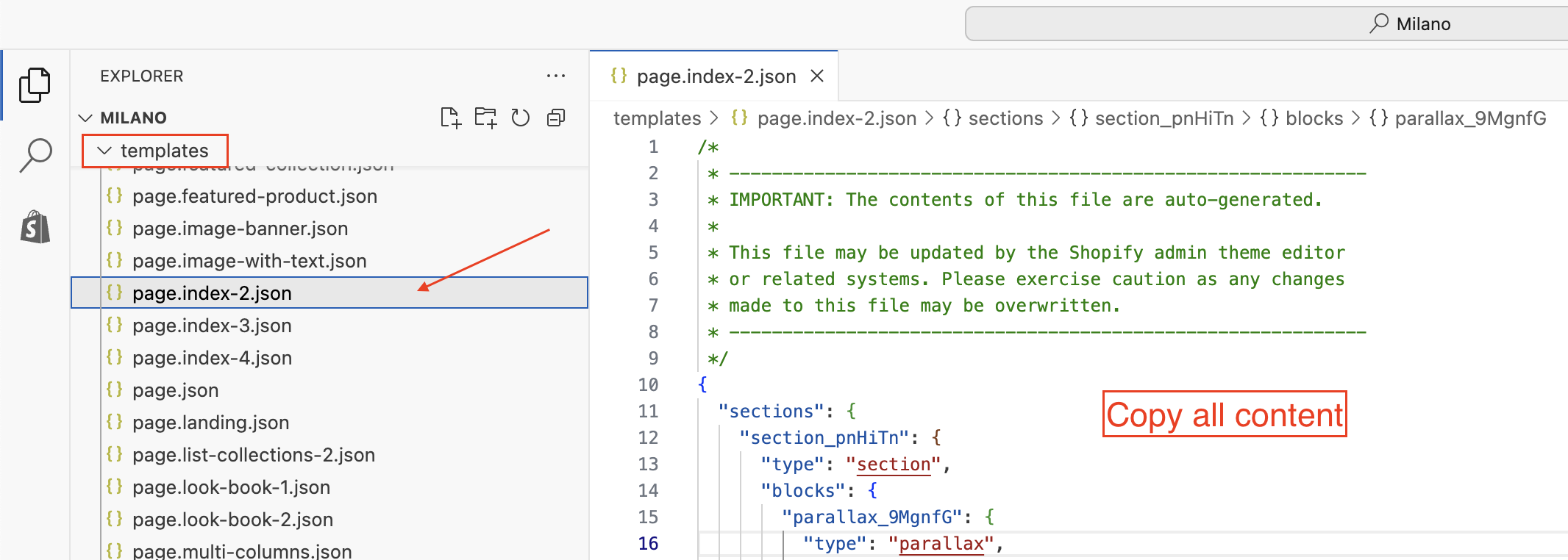
- On the left side of the editor, open the folder templates -> find the JSON file for the preset you want (
page.index-2.json,page.index-3.json.....)
tip
You can use the keyboard shortcut Ctrl + P (Windows) or Command + P (Mac) to find files faster.
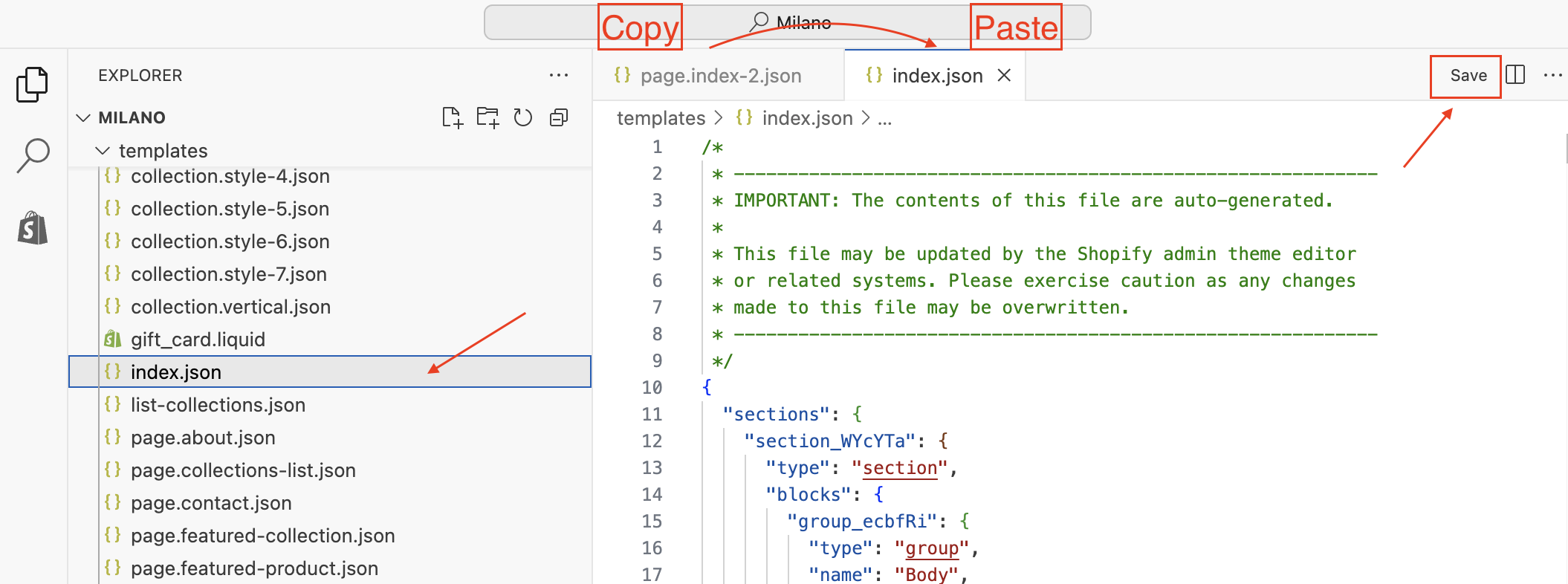
- Copy all the content inside the preset JSON file (e.g.,
page.index-2.json) -> open the fileindex.json(homepage) -> paste it to replace the entire content inindex.json-> save the file
tip
You can use keyboard shortcuts to perform actions:
- Ctrl + A (Windows) or Command + A (Mac) to select all the content in the file.
- Ctrl + C (Windows) or Command + C (Mac) to copy the content.
- Ctrl + V (Windows) or Command + V (Mac) to paste the content.
- Ctrl + S (Windows) or Command + S (Mac) to save the file.